Step 1 - Connect your Garmin device to your computer using a USB cable
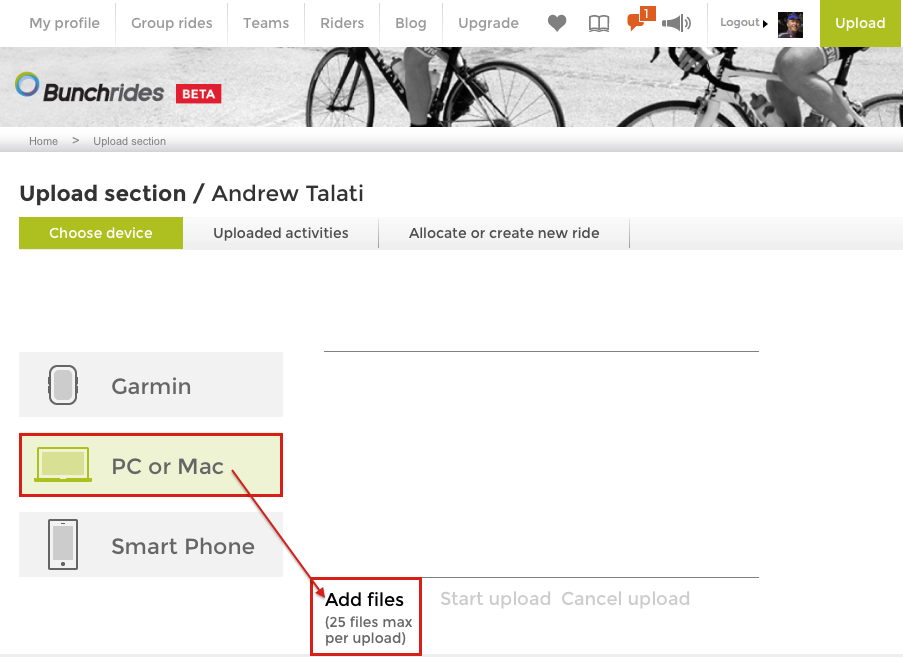
Step 2 - Choose the PC or Mac option if > 5 files on your Garmin

Step 3 - Select the "add field" button
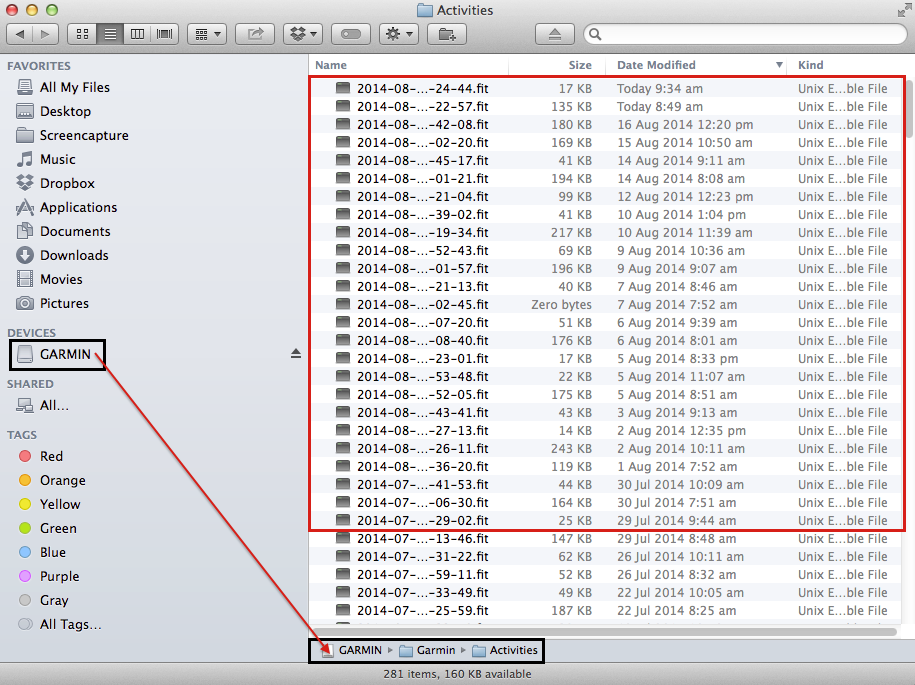
Step 4 - locate the files on your Garmin
Note depending if you have a PC or Mac, or the Garmin device you have, the location may vary. This illustration users a Garmin Edge 500 connected to an Apple Laptop.
Comments